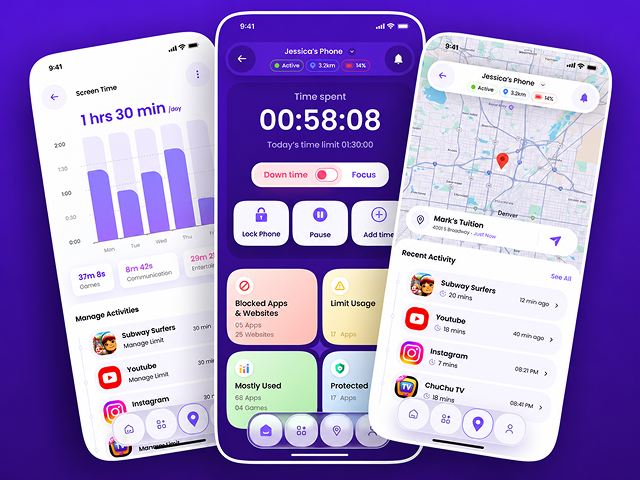
Project Overview
Our client, an educational establishment in the USA, had to have an effective solution that would enable their students to be more focused while studying remotely. Although remote education has its advantages, including convenience, many students tend to get distracted by social media, gaming applications, websites for entertainment, and other notifications while studying.
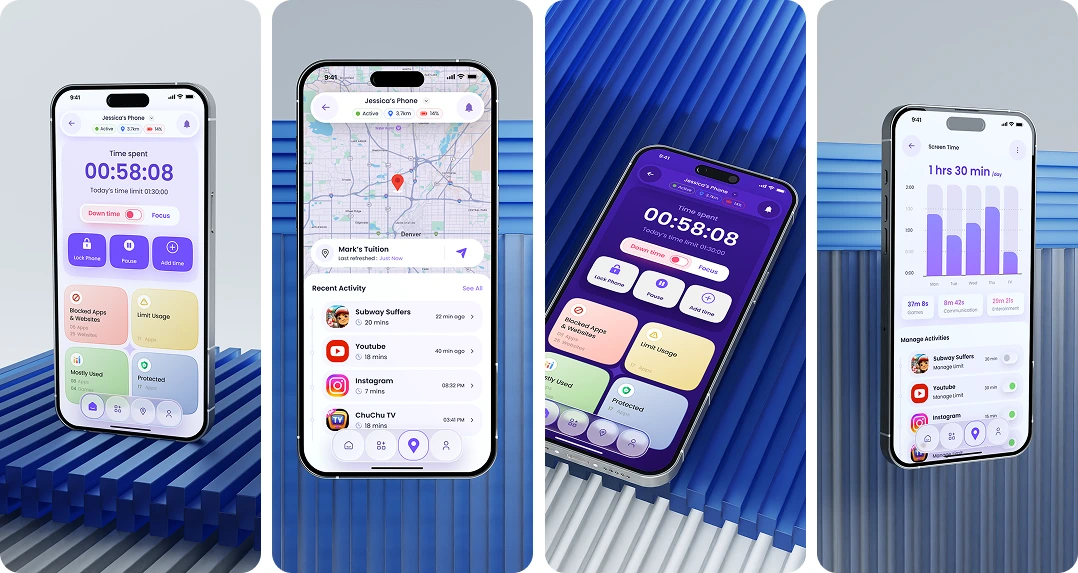
In order to solve this problem, our company has designed a custom AI-based parental control app that will help parents to keep track of their children’s digital activities, regulate screen time, block any inappropriate content, and cultivate healthy internet behavior. The product was developed with the help of React Native technologies and a scalable backend. It provides features such as safe browsing, blocking of particular websites and applications, activity monitoring and reporting, alerts, and even remote locking of the device.
Project Objectives
- Enhance concentration and engagement of students in online classes.
- Assist parents in controlling their children’s screen time and behavior.
- Block sites that are not appropriate for children.
- Offer timely analytics on children’s browsing and app usage.
- Generate instant notifications whenever children try to access blocked sites.
- Allow remote blocking of apps during designated study hours.
- Secure children’s data using authentication and encryption technologies.
- Offer easy-to-use parental control software.
Let's Shape Your Project Together
Have an idea, a challenge, or a new project in mind? Our team is here to help.
Business Challenges
1. Digital Distraction While Studying Remotely
Distance learning brought many benefits for students but also exposed them to distractions in the form of social networks, games, streaming platforms, etc. Such diversions had a negative impact on student involvement in classwork, attentiveness, and assignments. The educational institution required a way to promote focused studying without depriving them of all the advantages of remote learning.
2. Inability to See What Children Are Doing in the Digital World
Parents found it difficult to see what activities their children were engaged in while using connected devices, which applications they used, and whether the kids were using proper educational materials. The absence of activity reporting and notifications did not allow parents to detect any possible harmful web-browsing or screen-time misuse.
3. Browsing Protection and App Restrictions
The institution required a tool that would be able to filter out improper websites and prohibit distracting apps when children are studying. It is better to avoid the use of some additional solutions from unrelated vendors since they might not be compatible with online lessons and cause problems with data protection.
4. Real-Time Monitoring and Scalability
Parents wanted to be notified promptly about their kids’ Internet actions. At the same time, the system had to be able to handle an increasing number of students without sacrificing efficiency. Efficient monitoring, reporting, and notifications were possible only if the backend system was scalable.
5. Privacy and Security of Kids' Data
The app dealt with personal information regarding the Internet actions of kids. Data security was a key issue, together with secure authentication, encryption, and privacy measures. The solution had to comply with all the necessary requirements (COPPA and GDPR, for example).
6. A User-Friendly Application for Parents
Not all parents can work with complex software programs. It was essential to design an easy-to-use application in order to facilitate the process of setting up parental control and receiving reports on kids’ activities online.
Our Solutions
In order to solve those problems in the institution, we have created a parental control application that will help provide safer browsing, more reasonable screen time management, and efficient online learning. Our goal is to combine all necessary tools with an easy-to-use interface, which will allow parents to set up restrictions and monitor activities without dealing with confusing settings.
Our approach to the development included consideration of performance of the application, data security, platform-specific features, and future scalability. We used React Native for cross-platform development and Node.js with Express for backend services, monitoring processes, and integrations.
Centralized Dashboard for Parents to Control Digital Activities of Children
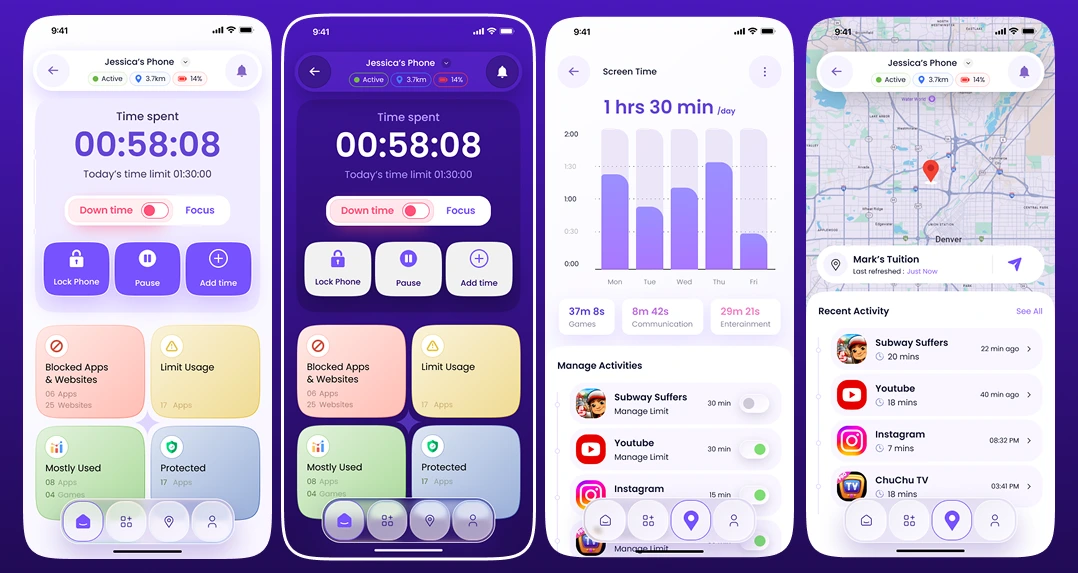
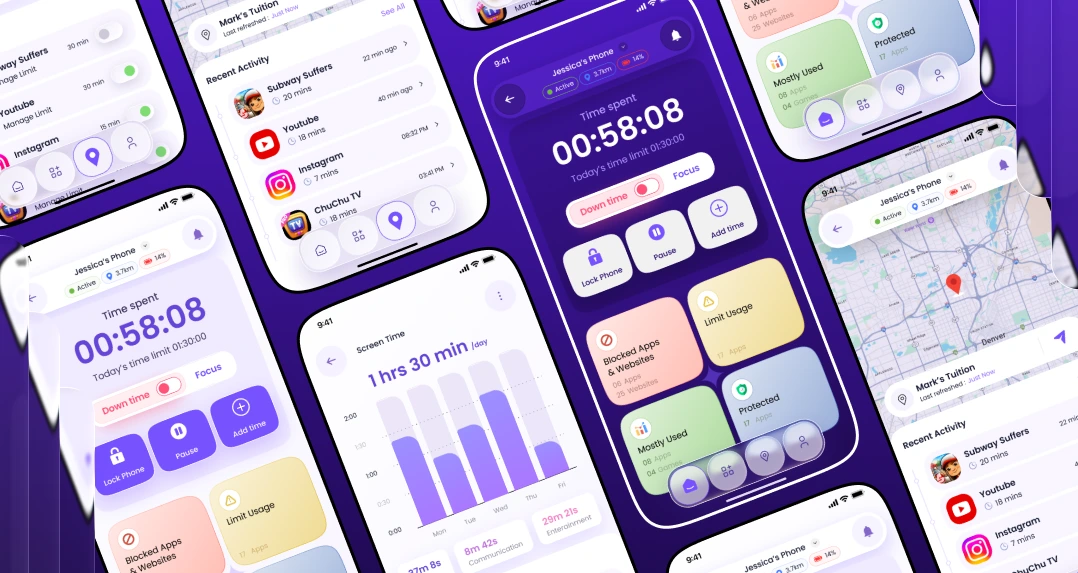
We created a centralized dashboard that will allow parents to monitor browsing history, application usage, and analyze the way their kids spend their time online. Safe browsing and content filtering will allow parents to restrict access to harmful websites, while configurable app and website blocking allows parents to control digital environments.
Control Screen Time and Minimize Distraction While Studying
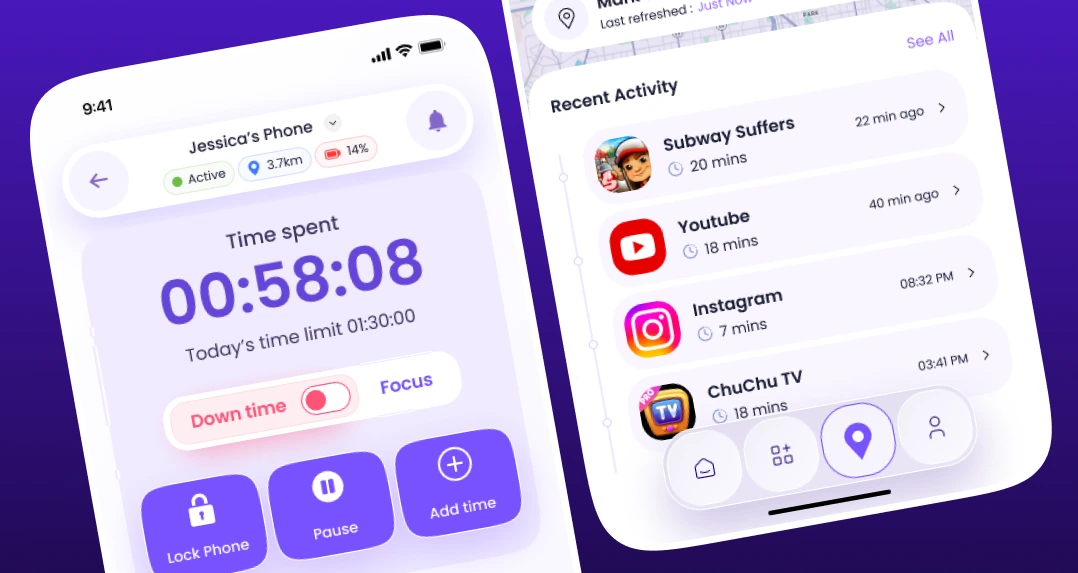
Parents will be able to set up limits on screen time for non-educational apps each day or each week. A remote locking feature can be used to limit the use of distracting apps during online learning activities. This will assist families to develop healthy habits while providing access to learning materials.
Provide Information About Activities in Real Time
The feature of providing reports about restricted access, web surfing, and application usage was included in order to be aware of potentially distracting activities and respond faster.
Improve Security and Privacy Protection
AES-256 encryption and OAuth 2.0 authentication were added to the security model to secure personal information and to control access to users’ accounts. The privacy concerns and limitations were taken into consideration during the development of monitoring capabilities. It allows performing responsible parental control without unauthorized access to kids’ private information.
Develop a Scalable Multi-Platform Application
A scalable multi-platform application was built using React Native, Node.js, Express, MongoDB, and AWS technology. Consideration of platform-specific APIs and monitoring solutions was made to provide a practical function without violating operating system limitations.
Organizations planning a similar product can also explore our guide to app development costs to understand the factors that influence development scope, technology choices, and project budgets.
Key Benefits
- Engage more students in distance education.
- Inform parents about the Internet use of their children.
- Create healthy habits of using screens through customizable limitations.
- Prevent access to inappropriate websites and applications.
- Notify in real time about the user’s actions.
- Make supervision easy with a simple user interface.
- Guarantee the protection of users’ information by means of encryption and authentication.
- Provide development of scalable applications appropriate for educational institutions.
Key Features
Account Creation and Setup Parents can easily create their accounts and configure the monitoring settings and limits. With the help of onboarding, the user is able to get familiar with the major controls of the software before he/she starts monitoring any digital activities.
Protected Access to Sites With the help of the application’s content filtering features, parents can ensure safe access to educational websites and limit access to sites that may contain inappropriate content or be considered harmful.
Screen Time Monitoring Parents are able to limit students' screen time on particular non-educational apps on a daily or weekly basis.
Blocking Websites and Apps The application gives an ability to block particular applications and websites that may be distracting for the student while learning. Configurable blocking options make it possible to control device usage in accordance with family guidelines.
Activity Reports Parents can examine activity reports for an overview of the browsing history, applications utilized, and time spent on online platforms. This will help parents have a better understanding of the online behavior of their children.
Alerts and Notifications The mobile application is capable of sending notifications whenever the child tries to visit any prohibited website or application. Such alerts and notifications will enable parents to act accordingly and change the settings if necessary.
Remote Lock Feature Parents will be able to lock certain applications that are not related to educational activities during online lessons or study periods. They can lift the restriction after the completion of the learning process.
Data Protection The offered software ensures data protection by utilizing such measures as AES-256 encryption and OAuth 2.0 authentication.
Application Development for Multiple Platforms There is cross-platform development capability offered by React Native that allows for maintaining consistency in the user experience and simplifying future improvements. The features unique to each device are managed based on the permissions and technical specifics of each OS.
Cloud Infrastructure Node.js with Express, MongoDB, and AWS infrastructure are used in the backend to provide services for the application, store activities, and monitor workflows. This technology stack allows maintaining performance when the user base increases.
For businesses planning similar mobile products, our [iOS app development services](https://www.manektech.com/ios-application-development) offer further insight into building mobile applications around platform-specific requirements and user expectations.
Technology
| Frontend / Mobile App | React Native |
| Backend | Node.js, Express |
| Database | MongoDB |
| Security | AES-256 Encryption, OAuth 2.0 Authentication |
| Integrations | Web Filtering APIs, Real-Time Monitoring Tools |
| Cloud Infrastructure | AWS |
| Application Architecture | Cross-Platform, Scalable Client-Server Architecture |
| Monitoring | Activity Reporting, Notifications, Device Monitoring APIs |
Business Results
40%
Increase in Student Participation
The project reported a 40% increase in student participation in online classes. Screen-time controls, app restrictions, and fewer digital distractions helped create a more focused learning environment.
66%
App Engagement
The application achieved a reported engagement rate of 66%, reflecting adoption of its monitoring and parental control features. The simplified interface helped parents access essential controls and activity information more easily.
37%
Improvement in Academic Performance Indicators
The client reported improvements of up to 37% in test performance and assignment submissions. Better visibility into device usage and restrictions on distracting applications supported more productive study habits. Improved Parental Confidence in Digital Safety Parents gained better visibility into their children’s online activities through monitoring reports, safe browsing controls, and instant notifications. This helped them guide digital behavior with greater confidence. Better Digital Learning Management Centralized parental controls made it easier to manage restrictions during online classes and study sessions. The solution helped the institution address common digital distractions while continuing to support remote and hybrid learning.
Product Gallery
Are You Interested in Creating a Similar App for Parental Control?
Our consultants are ready to hear your ideas. Request a free consultation with our software & app experts and transform it into a digital reality.
- 450+ Engineers
- 14+ Years
- Flexible Engagement
- US Business-Hour Collaboration
Frequently Asked Questions
This application is a software solution used by parents for managing the use of devices by their children, controlling access to inappropriate content, analyzing activity reports, etc.
The key functionalities include safe browsing, filtering of content, time control, blocking of certain apps and websites, reports, instant notifications, locking function, and security tools.
Using the application, parents can manage screen time and block distracting applications, which will enable students to focus on classes and study without distractions.
The application uses AES-256 encryption and OAuth 2.0 authentication to ensure data protection and user safety. However, before the production launch of the app, appropriate tests need to be completed.
The app allows activity reports and notifications related to browsing and app usage. The presence and extent of real-time tracking are contingent upon OS permissions, API access, and other aspects of deployment.
React Native is the technology used to develop applications for Android and iOS. Monitoring, blocking, and remote control capabilities may differ between platforms depending on their specific permissions and limitations.
The app uses techniques for securing personal data, like encryption and authentication. It is important that responsible deployment includes data minimization, parental controls, proper consent, and retention policies for applicable child protection laws.