Project Overview
TeleLink Innovations represents a cutting-edge VoIP communication system created for a highly recognized telecommunications company working with businesses from all over the USA. This software offers a comprehensive solution that enables you to manage business calls, messaging, voicemail, call recording, contact list, and internal team communication.
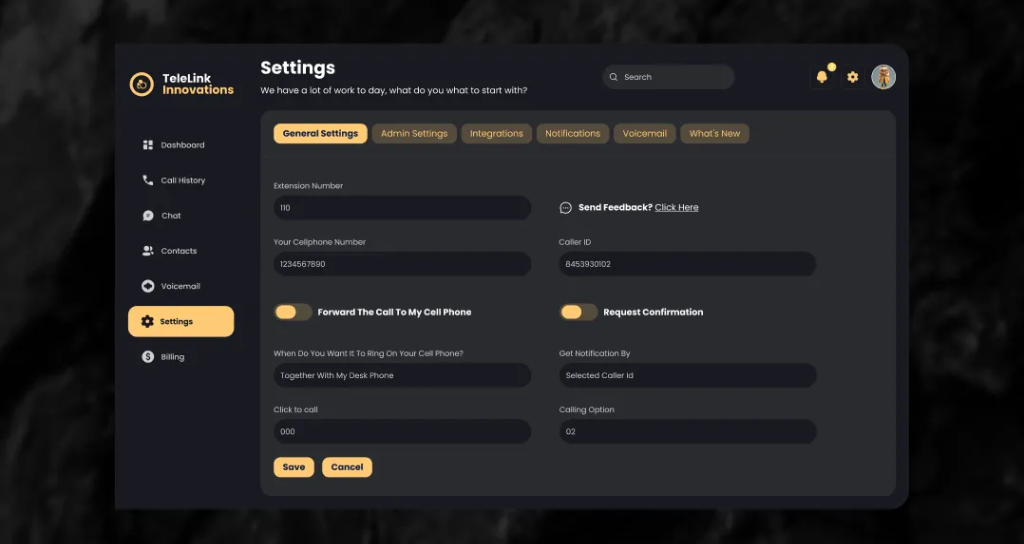
The application offers more opportunities than traditional VoIP phones by providing such features as desktop and mobile calling, messaging, call forwarding, DND, call history, intercom communication, as well as integration with other apps. The creation of the system aimed at helping sales and support teams to work effectively with a large number of calls and messages.
Project Objectives
- Enhance business communications using a unified VoIP system.
- Make your business calling, messaging, voicemail, and call management easier.
- Facilitate user management of calls from any desktop and mobile device.
- Increase visibility into call activity of calls using dashboards and call logs.
- Ensure security for managing public and private phonebooks.
- Achieve seamless integration with your business applications.
- Offer a robust call management and signaling solution.
Let's Shape Your Project Together
Have an idea, a challenge, or a new project in mind? Our team is here to help.
Business Challenges
1. Limited Functionalities of the Traditional Phone
Companies that have large sales and support teams need more functionalities that cannot be found in a traditional phone system. Managing calls via the regular phone is hard when it comes to tracking the communication process, coordinating the teams, and handling a large number of calls.
2. Management of the Calls
It is necessary to manage incoming, outgoing, connected, disconnected, on-hold, resumed, and transferred calls. It is also necessary to manage network interruptions and call termination.
3. High Number of Team Communication
Large teams should be able to communicate with each other and with customers. Without integrating chatting and calling functionalities, the employees will have to use multiple programs for managing the conversation.
4. Missed Calls & Voicemail
The support and sales representatives will not be able to take all the incoming calls. Without having the capabilities of voicemail and call history, some customer communication might be missed.
5. Lack of Integration of the Business Tools
Most businesses use the following tools alongside communication tools: CRM, helpdesk, project management, and automation tools. Communication information will remain disconnected without integrations.
Our Solutions
To overcome difficulties that arise with the use of conventional telecommunication technologies and various communication tools, a VoIP call management software has been created. The software combines calling, messaging, voicemail, call recordings, phonebook management, team communications, dashboards, and integration with third-party systems into a single product.
Centralized VoIP Communications
The software allows for making and receiving calls from desktops and mobile devices as well as for implementing call forwarding, call notes, call history, and other important communication features.
Messaging & Team Communications
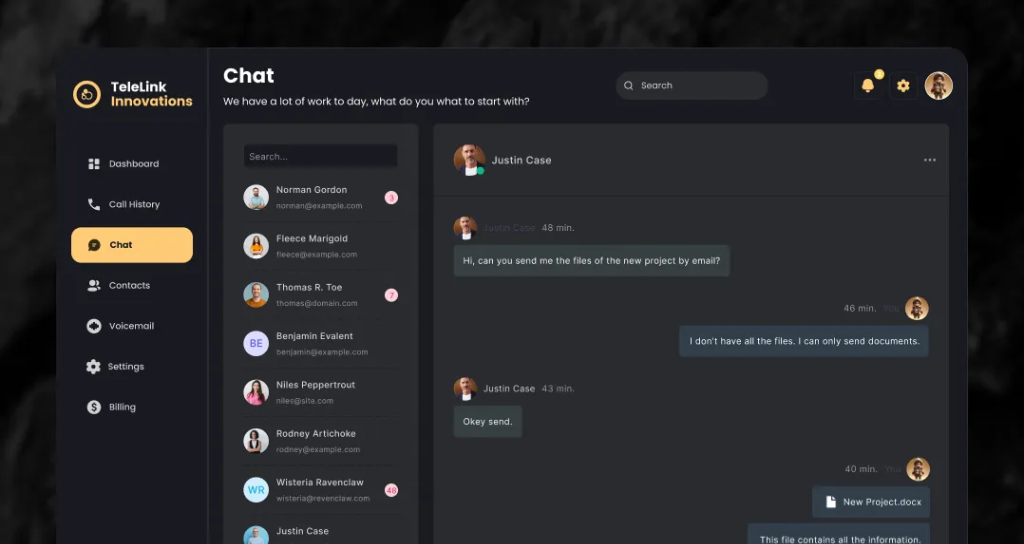
The software supports internal, external, and group chats, thus allowing the user to communicate with team members and external contacts. Users can also share files, photos, videos, contacts, and monitor read messages.
Call Management
The system controls the various call states and events such as incoming, outgoing, connected, disconnected, on hold, resume, and transfer. Call recording, voicemail, DND, and intercom features give more control over business communications.
Integrations with Business Systems
The software integrates with various third-party solutions such as ClickUp, Zendesk, Zoho Desk, HubSpot, and Zapier.
Key Benefits
- Centralization of Business Calls and Messages
- Support for Desktop & Mobile Communication using VoIP
- Automated Call Forwarding and Voicemail Management
- Recording of Incoming and Outgoing Calls
- Enhance Visibility through Call History and Dashboard
- Public/Private Phonebooks Support
- Intra-business Communication through Intercom and Chat
- Sync Communication Data to Other Business Platforms
- Increase Efficiency of Sales & Support Teams
- Create a Scalable Platform for Business VoIP Communication
Key Features
VoIP Calling
Make and receive business calls through desktop and mobile applications with support for call forwarding and real-time call notes.
Messaging
Communicate with internal team members, external users, and groups through integrated chat functionality. Users can share images, videos, contacts, and other files.
Voicemail
Allow callers to leave voicemail messages when team members are unavailable to answer calls.
Intercom
Enable internal team members to communicate with each other through dedicated internal calling functionality.
Call Forwarding
Forward incoming calls to another phone number to ensure important calls are handled without interruption.
Call Recording
Record incoming and outgoing calls and send completed call recordings through email when required.
Dashboard
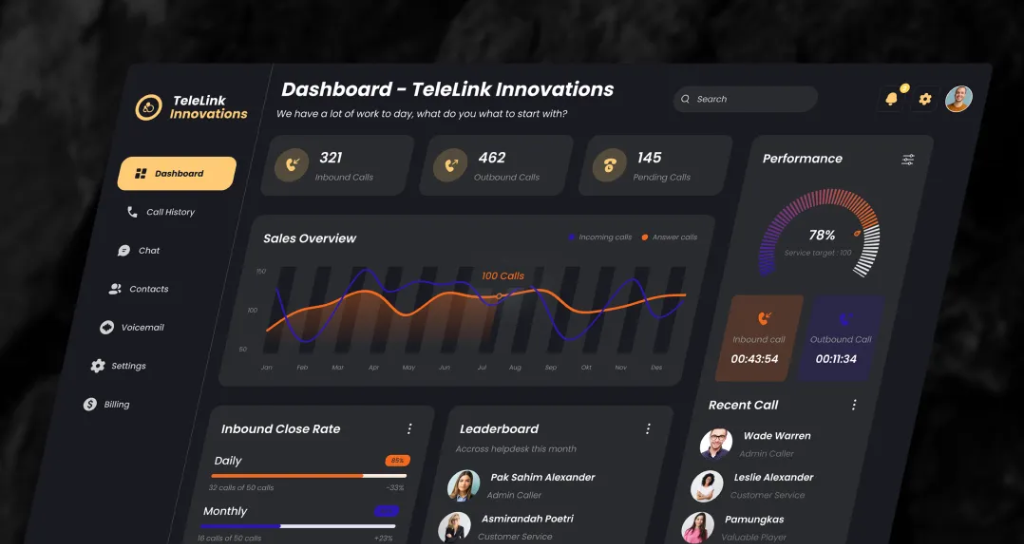
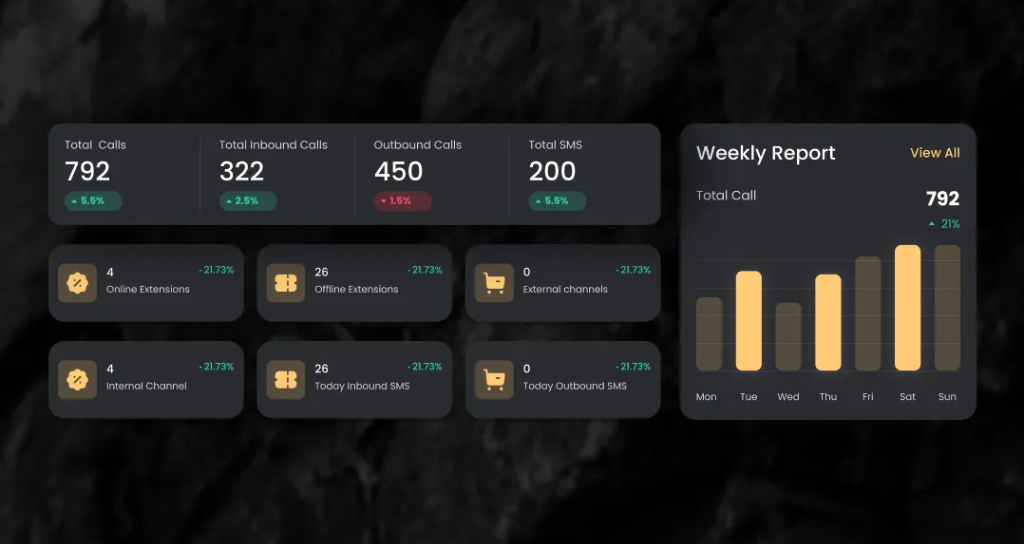
Display call activity including calls made, answered, and failed, with date-based filtering for easier monitoring and analysis.
DND List
Add specific phone numbers to a Do Not Disturb list to prevent teams from making unwanted or restricted calls.
Call History
Maintain detailed records of calls, including user name, phone number, date, and call duration.
Public & Private Phonebook
Allow users to upload and manage phonebooks as either public or private. Public phonebooks can be accessed by other authorized users.
Third-Party Integrations
Integrate with ClickUp, Zendesk, Zoho Desk, HubSpot, Zapier, and other business applications to synchronize communication data across existing workflows.
Call Infrastructure
Implement backend infrastructure for authentication, call signalling, chat message storage, voicemail handling, and reliable call setup and termination.
Technology
| Frontend | Angular |
| Desktop Application | ElectronJS |
| Backend | Laravel PHP |
| Database | MySQL |
| Platform | Web & Desktop Application |
| Voice Application | VoIP Communication |
| Integrations | ClickUp, Zendesk, Zoho Desk, HubSpot, Zapier |
| Architecture | Web-Based VoIP Communication Architecture |
Business Results
40%
Improved Communication Efficiency
A centralized VoIP platform simplified calling, messaging, voicemail, and internal communication for sales and support teams.
35%
Faster Call Management
Call forwarding, call history, recording, DND, and dashboard capabilities reduced the effort required to manage high volumes of business calls.
30%
Improved Team Productivity
Integrated calling, messaging, intercom, and phonebook functionality enabled teams to manage daily communication from a unified platform.
25%
Better Data Synchronization
Third-party integrations connected communication activities with existing CRM, helpdesk, project management, and automation platforms.
Product Gallery
Planning a Similar Mobile App Project?
Whether you’re building from scratch, modernizing an existing application, or expanding your engineering team, our experts are ready to help.
- 450+ Engineers
- 14+ Years
- Flexible Engagement
- US Business-Hour Collaboration
Frequently Asked Questions
TeleLink Innovations is an example of VoIP communication that helps companies to manage calls, messaging, voicemail, call recording, phonebooks, and team communication via one software platform.
This platform can be used by businesses that have departments like sales or support that have to deal with a large number of calls and communications.
Yes, the VoIP calling feature can be used in desktop and mobile environments.
Yes, you can record both incoming and outgoing calls and share the recording by sending it via email after the call is over.
Yes, users can communicate through internal team chats, external conversations, and group chats. Message read confirmation and file sharing are also supported.
Yes, the user can create a public or private phonebook. A public phonebook can be used by other users.
The platform supports integrations with ClickUp, Zendesk, Zoho Desk, HubSpot, Zapier, and many other business apps.